


Knowledge Center
Why Is My Website Not Showing Up on Google?
By
Jeromy Schall, Founder of Future Site Designs

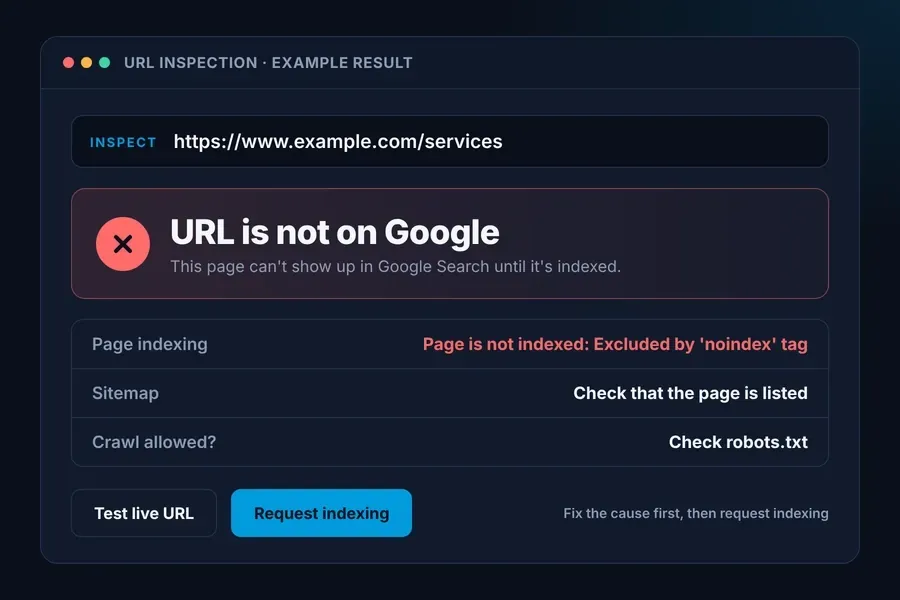
If your website isn’t showing up on Google, start by checking whether Google has indexed it. Open Google Search Console, paste your homepage address into URL Inspection, and look for “URL is on Google” or “URL is not on Google.” If only one page is missing, inspect that page’s exact address.
I’m Jeromy Schall, and I’ve been building websites in Orlando since 1998. When a client calls me about this, that’s the first thing I check. It tells me whether I’m dealing with an indexing problem or a ranking problem. For a quick manual look, you can also use the site: search operator, but Search Console is the better check.
What the Search Console Result Means
URL is on Google
The page is indexed and eligible to appear. If it’s missing for a specific search, check Performance in Search Console. Start by looking for impressions for that page and search query.
URL is not on Google
Read the reason under Page indexing. Once you’ve made a fix, click Test live URL. If the page is available to Google, click Request indexing. Google decides whether and when to index it.
How Long Does It Take a New Website to Show Up on Google?
I’ve had a new client site take about three months. Lately, most new Duda sites I launch show up pretty quickly, and a few get hung up for no clear reason. A brand-new site usually takes longer.
I worked with a construction company whose website took longer than I expected to show up on Google. I checked the website and its sitemap, and I never found a clear reason for the delay. That happens. I check what I can at launch, and Google decides when the site shows up.
When I build a new website, I tell clients that getting indexed is the first step. Showing up for the searches they want customers to find them through can take longer. At launch, I check that Google can access the pages, and then I watch Search Console to see which searches the site starts showing up for. If you’re planning a launch, here’s what drives a website timeline and what to expect after go-live.
For one page, use URL Inspection. For a whole site, submit the sitemap. Setting up Search Console and submitting the sitemap are included in our SEO package. The base web design package has a separate scope.
Check the Sitemap
A sitemap helps Google discover your pages. Add /sitemap.xml to the end of your website address and open it in your browser. Check that it lists the exact page address you want indexed. Then open Sitemaps in Search Console and submit your sitemap address. I submit the sitemap in Search Console so I can see whether Google has read it and check for any errors.
If a page isn’t listed, check whether it’s set to No Index. On a Duda site, pages set to No Index are left out of the sitemap.
The sitemap is one of the things I can verify myself, so I check it early when a client calls. Google still decides when to show the site. If your site is on Duda, here’s how it compares with other platforms.
Check for Noindex and Crawl Blocks
A noindex setting tells Google to leave the page out of its index. A robots.txt block can stop Google from crawling the page, so it may never see that instruction.
In Duda, go to Pages, click the ⋯ next to the page, then open Edit Page SEO and look at No Index.
Hide in navigation is a different setting. It only removes the page from your menu, and the page can still show up in Google.
Search Console shows a noindex page as “Excluded by ‘noindex’ tag” and a robots block as “Blocked by robots.txt.”
What I Do When a Client Calls Worried
- I put the exact page address into URL Inspection.
- I check the indexing status.
- I check the sitemap.
After that, I review the headings, meta titles, meta descriptions, and schema where it applies as part of the broader site review. Speed and mobile experience are reviewed in the same pass, covered in Mobile Page Speed: What Actually Matters and How to Fix It.
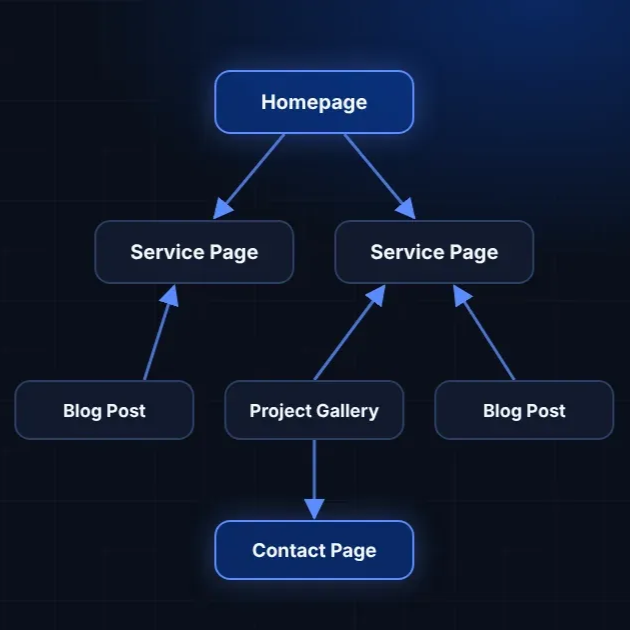
If Search Console says “Crawled – currently not indexed,” Google crawled the page but hasn’t added it to the index. Make sure the page has its own purpose, isn’t a near copy of another page, and is linked from related pages on your site.
What to Ask Before Your Site Launches
Ask whoever is building it, “Who’s setting up Search Console, submitting the sitemap, and checking that the pages can be indexed?” It’s worth asking any designer, including me. Pricing and scope change who handles this setup, so here’s how website design is priced and what’s included.
Can a Page That Isn’t Indexed Appear in Google AI Overviews?
To appear as a supporting link in Google AI Overviews or AI Mode, a page has to be indexed and eligible to show in Google Search with a snippet. If Search Console says your page isn’t indexed, start there. Once it’s indexed, Google still decides whether to use it as a source.
If your pages already show up in search but clicks have dropped, read Why Your Website Traffic Dropped and AI Search Fixes.
For how AI answers choose which local business to name, read why AI search can’t find your Orlando business and our AI search visibility case study. For how AI answers choose which local business to name, read why AI search can’t find your Orlando business. If you’re in Lake Nona, here’s how Google Maps and AI search connect to your business.
Quick Checklist
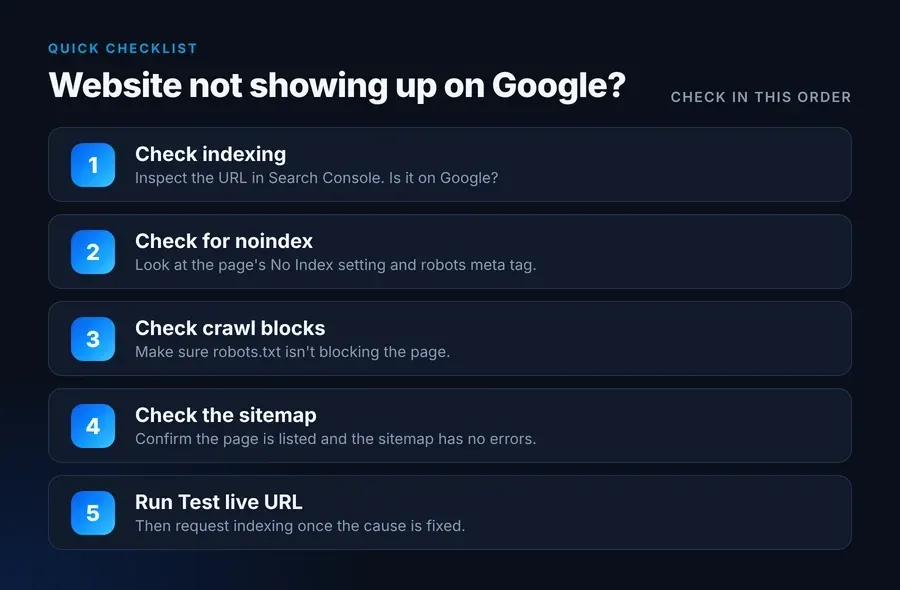
- Paste the exact page address into URL Inspection in Google Search Console.
- If it says “URL is not on Google,” read the reason under Page indexing.
- Check whether the page has a No Index setting turned on or a crawl block.
- Open /sitemap.xml and check that it includes the address you want Google to index.
- After you make a fix, click Test live URL. If the page is available to Google, click Request indexing.
Frequently Asked Questions
How long does it take for a website to show up on Google?
Google says crawling can take anywhere from a few days to a few weeks. Google decides whether and when to index the page. In my experience, a brand-new site can take longer, and one client’s site took about three months to show up.
Why is my homepage on Google but one page is missing?
Paste that page’s exact address into URL Inspection and read the reason. Then check whether the page has a No Index setting, whether it’s in your sitemap, and whether other pages on your site link to it.
Does submitting a sitemap get my website indexed?
It helps Google discover your pages. Google still decides whether to index them.
How do I know if my page has a noindex tag?
In URL Inspection, look for the status “Excluded by ‘noindex’ tag.” That tells you what Google found when it last crawled the page. If you’ve changed the setting since then, click Test live URL to check the current version. In Duda, open Edit Page SEO and check No Index.
Not Sure Why Your Site Isn’t Showing Up?
If you want a second set of eyes on your site, request our Free AI Website Audit. It reviews how your site appears in search and in AI answers, using public information only. You never have to share a login.
If you’d rather have it handled, see AI-driven SEO for Orlando businesses or contact me directly.
Future Site Designs Knowledge Center








About the Author: Jeromy Schall
Jeromy Schall founded Future Site Designs, an Orlando web design and digital marketing agency, in 1998. His work focuses on website development, technical SEO, website performance, and digital strategies that help businesses reach customers online.
Digital Strategist and Founder
Jeromy has led Future Site Designs since 1998, from static HTML sites to today’s AI-driven search. He shares practical guidance in the
Knowledge Center on AI-driven SEO, website design, search visibility, and mobile performance.
Website Strategy and Client Leadership
Jeromy leads sales and client strategy directly and is the point of contact on every project. Each site is planned around what the client’s business needs to grow, with clear communication and practical recommendations throughout.
AI-Driven SEO and Web Engineering
Jeromy builds exclusively on the Duda platform, hosted on AWS. His expertise includes technical SEO, website performance, secure website infrastructure, and structuring content so it’s eligible to be cited by AI Overviews, ChatGPT, Gemini and Perplexity. Future Site Designs also provides white-label website development for agencies.
Media Production and Broadcasting
Beyond the agency, Jeromy is an active broadcaster and media producer in the international waterskiing community, covering world-class competitions. That hands-on media experience feeds directly into the agency’s video production work.